When people first learn about AI agents, they often assume the term is just a new name for automation. That is understandable because both can help software complete tasks without constant human input. But they are not the same thing, and understanding the difference early will save beginners a lot of confusion.
Traditional automation follows a fixed path. An AI agent is built to interpret a goal, make decisions inside a bounded workflow, and use tools to move the task forward. In simple terms, automation follows instructions exactly, while an AI agent can decide how to apply instructions depending on context.
This does not mean AI agents replace automation. In practice, the two work best together. Automation provides structure and reliability, while agents add flexibility when a task involves messy inputs, judgment calls, or multiple possible next steps.
What is automation?
Automation is a system that runs a predefined sequence of actions when a trigger happens. If a user fills out a form, the workflow sends an email. If an invoice is marked paid, the workflow updates a spreadsheet. If a support ticket gets a label, the workflow alerts the right team.
The strength of automation is predictability. You define the path in advance, then the software repeats it the same way every time. This makes automation excellent for tasks that are repetitive, structured, and unlikely to change from one case to the next.
For beginners, this is often the easiest kind of workflow to understand. You create a trigger, connect a few steps, and the sequence runs exactly as designed. There is very little interpretation involved.
What is an AI agent?
An AI agent is a system that combines a model, instructions, and tools so it can work toward a goal rather than only execute a rigid script. Instead of following one fixed branch every time, it can inspect context, reason about options, and choose an action that fits the situation.
That flexibility is what makes the term “agent” useful. A beginner-friendly AI agent might read an incoming email, determine whether it is urgent, draft a reply, decide which label to apply, and then route the conversation to the right destination. A standard automation could move the email only if the rules were already hardcoded in advance.
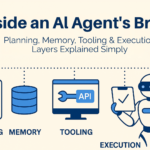
This is why AI agents are often described as systems that can think, remember, and act. The important point is not human-like intelligence. The important point is that the system is built to handle tasks that are not fully predictable at design time.
The simplest difference
If you want the simplest possible distinction, use this:
- Automation answers: “What should happen when this exact trigger appears?”
- AI agent answers: “Given this goal and this context, what should happen next?”
That difference may sound small, but it changes how the system behaves.
An automation flow might say:
- Receive a new form submission.
- Add the row to a sheet.
- Send a confirmation email.
- Notify the team in Slack.
An agentic version of that same workflow might do more:
- Read the form.
- Understand what the person actually wants.
- Classify the request as support, sales, or partnership.
- Draft a more relevant response.
- Route it to the right place.
- Log the reasoning.
The first system follows a map. The second system tries to choose the best route inside a map you defined.
Where automation is better
Beginners sometimes hear so much about AI agents that they assume automation is outdated. That is a mistake. In many cases, traditional automation is still the better tool.
Automation is usually better when:
- The input is structured.
- The logic is clear.
- The same action should happen every time.
- Errors must be minimized through strict consistency.
- Speed and reliability matter more than interpretation.
Examples include:
- sending confirmation emails,
- moving form data into a CRM,
- creating calendar events,
- updating inventory records,
- posting alerts into internal chat systems.
These tasks do not need a system to think very much. They need a system to execute correctly.
Where AI agents are better
AI agents become useful when the task is less structured and more dependent on judgment, language, or changing context. The best beginner examples usually involve email sorting, support handling, research, and content workflows because those tasks contain ambiguity that fixed rules struggle to manage cleanly.
An agent is often the better choice when:
- Inputs arrive in natural language.
- The task has several possible interpretations.
- The next step depends on context.
- The workflow needs tool use plus reasoning.
- A rigid if-this-then-that path would become too messy.
Examples include:
- categorizing and drafting replies to incoming emails,
- answering support requests based on knowledge base content,
- researching a topic across several sources and producing a summary,
- evaluating user intent before routing a request.
In these cases, the agent is not better because it is magical. It is better because the workflow benefits from interpretation.
Why beginners confuse the two
The confusion happens because modern no-code tools often combine both patterns in one visual workflow. A beginner may create a trigger, add an AI node, connect a spreadsheet, send an email, and assume the whole thing is an AI agent. In reality, some parts of that system are still ordinary automation, while one part may be agentic.
That is actually normal. Most useful systems are hybrids. The automation layer handles scheduling, triggers, routing, retries, and logging. The agent layer handles understanding, classification, planning, summarization, or other context-heavy decisions.
So the real question is not “agent or automation?” The better question is “which parts of this workflow should remain fixed, and which parts need flexible reasoning?”
A practical example
Imagine a beginner wants to automate inbound customer emails.
A pure automation setup might say:
- if subject contains “refund,” send it to billing;
- if subject contains “bug,” send it to support;
- if subject contains “demo,” send it to sales.
That works for a while, but real emails are messy. People do not always use the exact words you expect. They write long explanations, mix multiple issues together, or ask for something indirectly.
An AI agent can handle that better by reading the content, identifying intent, deciding the likely category, drafting a response, and then passing the result into the automation layer for delivery or approval. This is one of the clearest beginner examples of how agents and automation complement each other instead of competing.
The trade-off beginners should understand
Automation is usually more predictable. AI agents are usually more flexible. That is the trade-off.
With automation:
- behavior is easier to audit,
- outputs are consistent,
- debugging is usually simpler.
With AI agents:
- the system can handle ambiguity better,
- the workflow can adapt to more varied inputs,
- outputs may improve when rules alone are too rigid.
But agents also introduce new challenges:
- prompt quality matters,
- guardrails matter,
- testing matters,
- tool access must be controlled,
- outputs can vary from one run to another.
That is why beginners should not rush to make everything agentic. Flexibility is powerful, but it also creates more surface area for mistakes.
How to decide which one to use
A good beginner rule is simple:
Use automation when the path is already clear.
Use an AI agent when the goal is clear but the path may vary.
You can also ask yourself three questions:
- Is the input highly structured or messy?
- Do I need fixed execution or interpretation?
- Will simple rules break down quickly as real cases appear?
If the input is structured and the output should always follow the same path, automation is probably enough. If the input is messy and the next step depends on context, an agent may help.
What beginners should build first
For most people, the best first project is not a fully autonomous AI agent. It is a small hybrid system. Start with one trigger, one model, one or two tools, and one clear output.
Good starting examples include:
- classify incoming emails and save the result to a sheet,
- summarize a batch of content and send a daily digest,
- answer simple support questions with a human review step.
This teaches the difference between fixed workflow logic and flexible model reasoning without creating too much complexity at once.
Common beginner mistakes
The biggest beginner mistake is choosing an AI agent when plain automation would do the job better. That creates extra cost, extra unpredictability, and extra debugging for no real benefit.
Another common mistake is the opposite one: forcing rigid rules onto a task that clearly needs interpretation. That usually produces brittle workflows that fail as soon as the inputs become messy.
A better approach is to keep the deterministic parts deterministic and use an agent only where reasoning adds value. That is the pattern behind many of the most practical beginner workflows.
Final thoughts
AI agents and automation are not enemies. Automation is the structured backbone, while AI agents add adaptive decision-making where fixed logic starts to break. Once beginners understand that difference, it becomes much easier to design useful systems instead of chasing hype.
The smartest way to start is not to ask which trend sounds more advanced. It is to ask what the workflow actually needs. If the task is fixed, automate it. If the task needs interpretation, add an agent carefully and keep the rest of the system simple.